The whole design, in writing
Learn AI system design by building a prompt & response caching layer for LLMs step by step. An interactive guide to a two-tier cache — exact-match hashing, semantic (embedding) lookup with a tuned similarity threshold, TTL and invalidation, server-side prompt-prefix (KV) reuse, and hit-rate economics — so repeated and near-duplicate prompts skip the model and cut cost and latency.
Every step of the build above, written out: the problem each piece solves, the option that was taken and the ones that were not, the numbers, and how it fails in production.
The big idea
Why cache LLM calls at all?
Every LLM call costs real money and hundreds of milliseconds to seconds. And a huge fraction of production traffic is repetitive: the same FAQ, the same system-prompt-plus-document, a thousand slightly-reworded versions of the same question. Paying full price and full latency for an answer you’ve already computed is pure waste. How do you stop re-generating what you already know?
Put a caching layer in front of the model: check for a stored answer to this (or a near-identical) prompt before calling the LLM. A hit costs almost nothing and returns in milliseconds. It’s the single highest-leverage optimization for read-heavy LLM workloads — the cheapest call is the one you never make.
Step 1 · The skeleton
Cache-aside around the model
A prompt arrives. You want to return a cached answer if you have one, and otherwise call the model — and remember the result. What’s the control flow?
What’s the right caching pattern in front of an LLM?
Storing without checking first means you never actually serve from cache — you pay full price on every request. The lookup has to come before the model call.
Classic cache-aside (read-through): look up first, serve on hit, and on a miss call the model and populate the cache so the next identical request is free.
The prompt space is effectively infinite — you can’t enumerate it. You cache what actually gets asked, lazily, as it’s asked.
The Cache API runs cache-aside: normalize the request, look it up, return on a hit, and on a miss call the LLM Provider and write the result into the store before returning. Apps call the same completion contract — they never know whether an answer was cached or freshly generated.
Why this piece earns its place
Cache-aside has two failure modes that only show up under load. The first is the miss stampede: a hot prompt expires, and every request that arrives before the first one finishes also misses, so you pay the model once per caller for a single answer — at exactly the moment traffic is highest. The defense is single-flight: the first miss takes a lock on the key and the rest wait on its result. The second is what you write back. A provider timeout, a rate-limit error, and a response cut off at the token limit are all results, and storing one pins a broken answer for the entire TTL. Only write back completions that finished normally. There is also one knob that belongs in the request rather than the config: a per-call bypass, so a caller who knows their prompt is fresh can skip the lookup and repopulate the entry. Defaults live in config; exceptions live per request — and you will want that flag the first time a bad answer gets cached.
What the new pieces do
- Applicationclient
- A service that sends prompts to an LLM. Many are repeats or near-duplicates — the caching layer’s reason to exist. It never learns whether a hit was cached or freshly generated.
- Cache APIbackend
- The read-through front door: normalize the request, check the exact then semantic cache, and on a miss call the model and store the result — all behind the same completion contract.
- LLM Providermodel
- The real (expensive, slow) model call. Reached only on a cache miss; its result is written back into the cache for next time.
Step 2 · The trivial win
Exact-match cache on a normalized key
The safest hit is an identical request. But "identical" is subtle — whitespace, key order, and default params vary. What do you hash, and when is a hit safe to return verbatim?
What makes a good exact-cache key for an LLM call?
The same prompt at temperature 0.9 vs a different model gives a different answer — the key must include the parameters and model, or a hit returns the wrong thing.
Random ids never collide, so nothing ever hits. The key must be a deterministic function of the request’s meaningful content.
Normalize (trim, canonical JSON, sorted keys), then hash prompt + model + all sampling params. Identical inputs → same key → a byte-identical, safe-to-reuse answer.
Key the Exact Cache on a hash of the normalized request: canonicalized prompt/messages plus model, temperature, max-tokens, and tool definitions. A hit is byte-identical and always safe. This tier is cheap, O(1), and catches the surprisingly large share of traffic that repeats exactly — especially deterministic (temperature 0) calls.
Why this piece earns its place
The key is a schema, and schemas change. The day you add tool definitions to the hash — or fix the normalizer so JSON keys sort — every existing entry becomes unreachable. Nothing errors and nothing is deleted; the orphaned entries sit there earning nothing until their TTL runs out, while hit-rate drops off a cliff. So carry a version prefix in the key, expect the cliff, and size for two key generations coexisting through the changeover. The normalizer itself deserves a caution, because its two directions fail asymmetrically. Normalize too little and you lose hits, which shows up on a chart. Normalize too much — lowercasing the prompt, collapsing whitespace inside a code block — and two genuinely different requests land on one key, which shows up as a wrong answer and nowhere else. And notice what this tier structurally cannot reach. In a chat product the key covers the whole message array, so every turn after the first carries a new suffix and the exact cache rarely fires again. The repetition is still there — the system prompt and few-shot block that every request shares, and a conversation replaying its own earlier turns inside its later ones — it just is not answer-shaped, which is the gap step 4 exists to fill.
- O(1)hash lookup
- normalizethen hash the whole request
- temp 0safest to cache
What the new pieces do
- Exact Cachecache
- A key→value store keyed by a hash of the normalized (prompt + model + params). O(1) lookup; a hit is byte-identical and trivially safe to reuse.
- Response Storestore
- The stored completions with their metadata: source prompt, model+version, tenant, created-at and TTL. Both cache tiers resolve to an entry here.
Step 3 · Catch the near-duplicates
Semantic cache with a similarity threshold
Exact matching misses "How do I cancel?" vs "How can I cancel my plan?" — same intent, different bytes, no hit. Most repetition is semantic, not literal. How do you reuse an answer for a prompt that means the same thing?
How do you get a cache hit on a reworded-but-equivalent prompt?
Text normalization catches trivial variants but not genuine rewordings or synonyms — "cancel" vs "end my subscription" never align at the string level. You need meaning, not spelling.
The Embedder maps the prompt to a vector; the Semantic Index finds the nearest cached prompt; if similarity clears a tuned threshold, its stored answer is reused. Meaning-level matching.
That’s an extra model call per request — you’d spend the money you’re trying to save. Embedding + ANN does the equivalence check in milliseconds.
Add a semantic tier: the Embedder vectorizes the prompt, the Semantic Index (ANN) finds the nearest cached prompt, and if similarity clears a tuned threshold its stored answer is reused. Now near-duplicates hit too. That threshold is the whole game: too tight and you miss real duplicates; too loose and you serve wrong answers — the failure this page’s chaos button triggers.
Why this piece earns its place
The read path gets all the attention; the write path is what you end up operating. Every miss inserts another prompt vector, so the index grows with your traffic rather than with any corpus you control, and it fills with near-duplicates that sat just under the threshold — each one a separate entry with its own answer to keep fresh. Removing one is not the cheap delete the hash tier gets. A delete here is a soft delete: the point stops being returned immediately, so correctness is fine, but the graph still carries it, and you keep paying for its memory and its search work until a periodic rebuild reclaims the space. Defer that rebuild long enough and the graph degrades around the dead nodes and recall drifts — a slow, unalarming loss of hits. Budget it. The other thing to build now is the score log: record the top similarity on every lookup, including the ones that miss. Hits alone have no denominator — you see the wrong answers you served and never the right ones you declined. With the misses recorded you can re-score a week of real traffic against a candidate threshold offline and watch exactly which decisions would flip, before any of them reaches a user.
- embed + ANNfind near-duplicates
- thresholdhit-rate vs correctness
- same embedderas the cached prompts
What the new pieces do
- Embeddermodel
- Embeds the incoming prompt so the semantic cache can find a near-duplicate. Must be the same model+version that embedded the cached prompts — or the distances are meaningless.
- Semantic Indexindex
- An ANN index over cached-prompt embeddings. Returns the nearest cached prompt; a hit counts only if similarity clears a tuned threshold — the knob between hit-rate and correctness.
Back of the envelope
- tune on real traffic
- pick the threshold from measured false-hit rate
- scope per tenant
- prompts carry private context — never cross tenants
- re-verify borderline
- a cheap check on marginal hits catches mismatches
- same model+version
- query and cached prompts must share embedding space
Step 4 · Reuse the prefix too
Prompt-prefix (KV) caching on a miss
Even on a cache miss, most requests share a huge, identical prefix — a long system prompt, a few-shot block, a retrieved document — followed by a short unique question. The model re-processes that whole prefix every time. Can a miss be cheaper?
Two requests share a 4k-token system prompt but differ in the last line. How do you save?
Server-side prompt-prefix caching stores the transformer’s key/value tensors for the shared prefix; a new request with the same prefix skips prefill on those tokens and only computes the new suffix — a big latency and cost cut even on a response-cache miss.
Trimming the prompt can hurt quality and still recomputes what remains. Prefix caching keeps the full prompt but stops paying to reprocess it.
A response-cache miss can still reuse computation. Prefix/KV caching makes the shared part of the prompt nearly free, which is most of the tokens.
Layer prompt-prefix caching: the provider (or your inference server) caches the computed KV state for a shared prefix, so a request reusing that prefix skips prefill on those tokens and only processes the new suffix. It cuts cost and time-to-first-token even when the response cache misses — because the expensive part of a long prompt is the prefix everyone shares.
Why this piece earns its place
How much of this you own depends on whose GPUs it runs on. On your own inference server the KV cache is yours: you set the memory budget, you choose the eviction policy, and the prefix-cache hit rate is a number on the server’s metrics endpoint. With a managed provider it is mostly automatic — some let you mark a prefix explicitly and buy it a defined lifetime, but where the caching is implicit you get no TTL and no direct hit-rate, only the cached-token count reported back in the response usage. Read that count either way, because the way this breaks is silent and easy to cause. Prefix matching is byte-exact from the front, so anything variable at the top of the prompt drops the hit-rate to zero: a timestamp in the system prompt, a request id, the user’s name, a randomized instruction from an A/B test, a serializer that does not order JSON keys the same way twice. Nothing errors. The bill simply stops improving. It also means this saving never appears on the hit-rate chart of step 6, because it lands entirely on the requests you counted as misses — give cached input tokens their own line, or you will conclude the prefix cache did nothing and rip it out.
- reuse KVskip prefill on the prefix
- stable prefix firstmaximize the shared span
- helps on missescheaper even when uncached
Step 5 · Keep it fresh
TTL, invalidation, and versioning
A cache that never forgets eventually lies: the underlying document changed, a policy updated, the model was upgraded — but the old answer sits there, served forever. How do you keep a cache from going stale?
What keeps cached answers from becoming quietly wrong over time?
Inputs change: docs get edited, prices update, models improve. Without expiry or invalidation the cache serves yesterday’s (now-wrong) answer indefinitely.
Flushing everything throws away the hit-rate you worked for. You want targeted expiry and invalidation, not a nuclear reset.
Each entry gets a TTL; when its source (a retrieved doc, a policy) changes you invalidate the affected entries; and the cache key includes the model version so an upgrade naturally partitions old from new.
Give every entry a TTL, invalidate entries whose inputs change (a document edited, a config updated), and version the key by model so a model upgrade doesn’t serve pre-upgrade answers. Scope keys per tenant. Now the cache stays fast and honest — freshness is a policy, not an accident.
Why this piece earns its place
Invalidate on input change is easy to say and needs a data structure nobody draws at the whiteboard: a reverse index from source to cache keys, written in the same operation that writes the entry. If you never recorded that this answer was built from document 41, you cannot find it when document 41 changes, and your options collapse to a flush or waiting out the TTL — which is the flush you promised not to do, just slower. Write the dependency down at cache-write time, or you do not have invalidation, you have expiry. Then jitter the TTL. The single-flight lock from step 1 protects one key against a stampede; this is the same failure spread across thousands of keys at once, where a per-key lock buys you nothing — entries written together expire together, so prompts cached during one traffic spike all come due in the same second. A few percent of randomness per entry is what breaks the correlation. And expiry is usually lazy: an entry past its TTL still occupies memory until a read or a sweep finds it, so capacity is planned against entries stored, not entries still live.
- TTLbounded staleness
- invalidateon source change
- version keyby model+version
What the new pieces do
- TTL / Invalidateservice
- Expires entries by TTL and invalidates them when their inputs change (a document updated, a model upgraded), so the cache never serves a stale or wrong-version answer.
Step 6 · Prove it helps
Hit-rate, savings, and false-hit alarms
You’ve added two cache tiers, a prefix cache, TTLs and a threshold. Is any of it actually helping — and is the semantic tier quietly hurting? You can’t tell without measurement. What do you track?
What metrics tell you the cache is working (and not lying)?
Request volume says nothing about whether the cache saved money or served wrong answers. You need hit-rate, cost delta, and a false-hit signal.
Hit-rate per tier shows reach, cost/latency saved shows value, and sampling semantic hits for correctness catches a threshold that’s gone too loose — all attributed per tenant.
Storage size is an operational detail, not a measure of value or correctness. The important numbers are hits, savings, and false hits.
Emit hit-rate per tier, cost and latency saved, and a false-hit signal (sample semantic hits and verify) — attributed per tenant. This proves the cache’s value and alarms when a loosened threshold starts serving wrong answers. Warm the cache for known-hot prompts so hit-rate is high from the first request.
Why this piece earns its place
Cost saved is the number that gets quoted upward, and you cannot actually measure it — you are counting money you did not spend. The only defensible way to compute it is to record the completion’s input and output token counts on the entry when you write it, then multiply by hits. Skip that and the savings figure is assembled after the fact from averages, and the first finance question takes it apart. Be careful using hit-rate as an alarm, too. Its denominator is your traffic mix, so it moves when one customer changes behavior and sits flat when the cache quietly breaks; cost per request is the better page signal, because it moves for one reason. The false-hit sample needs its own budget line, since judging whether a semantic hit answered the right question costs a person or a second model call — so fix a rate and pay it continuously. Then spend it unevenly: sample hardest just above the threshold, where the marginal matches live. A uniform sample across all hits spends most of its checks on near-identical prompts nobody doubts, and almost never sees the ones that decide whether the dial is set right.
- hit-rateper tier
- $ + ms savedthe value
- false-hitthe alarm
What the new pieces do
- Hit-rate & $store
- Tracks hit-rate, cost saved, latency, and false-hit signals per tenant — the proof the cache is helping and the alarm when a loose threshold starts hurting.
Step 7 · Guard against drift
Embedder upgrades and index migration
Six months in, a better embedding model ships. Swap it in and the semantic cache’s existing vectors were computed by the OLD model — comparing a new-model query embedding against old-model cached embeddings isn’t "less accurate," it’s comparing two different coordinate systems. Nothing crashes; similarity scores just become meaningless. How do you upgrade the embedder without breaking the cache?
You’re upgrading the embedding model behind the semantic cache. What has to happen to the existing index?
Distances between an old-model vector and a new-model vector aren’t meaningful — the ANN index would return "nearest" neighbors that aren’t actually near anything. Every semantic hit becomes untrustworthy at once.
Either re-embed the existing cached prompts with the new model to rebuild the index, or run both embedders in parallel for a migration window until the new index has enough coverage — then cut over and retire the old one.
Valid but expensive — you lose 100% of your accumulated hit-rate on day one. Re-embedding existing prompts (cheaper than re-querying the LLM) preserves most of the value.
Treat an embedder upgrade as a migration, not a config flip: either re-embed the existing cached prompts under the new model to rebuild the index, or dual-write to both old and new indexes for a transition window, cutting reads over once the new index has real coverage. The Semantic Index is only meaningful when every vector in it — cached and query-time — came from the same embedder version.
Why this piece earns its place
Two costs decide how this migration goes, and neither one is the re-embedding. The first is memory. A new embedder usually has a different vector dimension, so you cannot upsert into the existing index — you stand up a second one, and for the whole dual-write window you pay to hold both. That is a ceiling on how long the window can affordably run, not a date to end it on: if the new index will not have earned its coverage before that budget runs out, the move is to buy the coverage directly by re-embedding your hottest cached prompts up front, not to cut reads over early. The second cost is the threshold. A cutoff tuned in the old model’s space does not carry over: the new model has its own score distribution, and may use a different similarity metric or normalization, so the same number is a different strictness. Re-tune it against the new index before you send read traffic there, using the score log from step 3 — otherwise you execute a clean migration and land on either a cache that hits nothing or one that serves the wrong answer, and both read as the migration failed. Keep the old index readable until that number has settled.
The payoff
You built an LLM cache
From "pay full price for every answer" to a layered cache: cache-aside control flow, an exact-match tier on a normalized key, a semantic tier with a tuned threshold, prompt-prefix (KV) reuse to cheapen even misses, TTL + invalidation + model-versioning for freshness, and hit-rate/savings metrics that keep it honest.
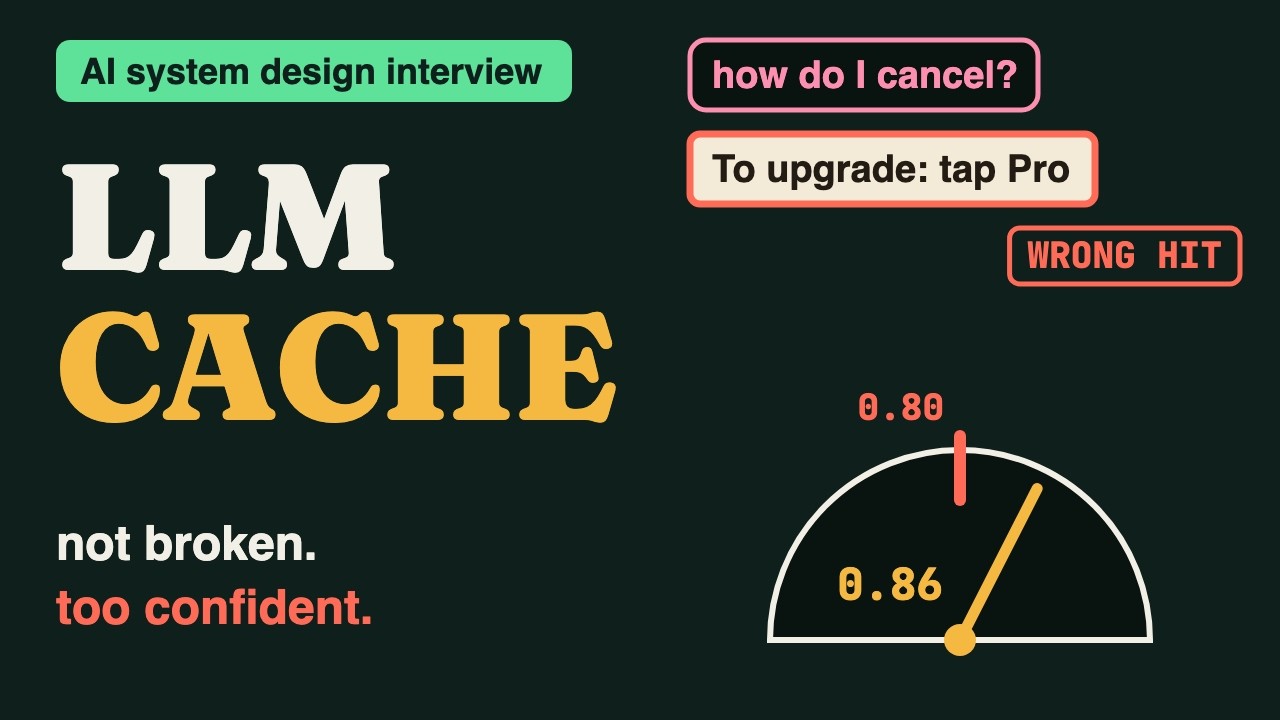
Now loosen the match — drop the semantic threshold — and watch the cache answer the wrong question at a great hit-rate: "cancel" served the "upgrade" answer, instantly, as a valid response, no error. That’s why the threshold is a correctness dial, why you sample semantic hits for false positives, and why a clean miss beats a confident wrong hit.
Everything you assembled, in order
- Cache-aside — look up first; on a miss call the model and populate
- Exact cache — hash the normalized prompt+model+params — byte-identical, always safe
- Semantic cache — embed + ANN + threshold catches near-duplicates
- Threshold — the dial between hit-rate and correctness — set it conservatively
- Prefix (KV) cache — reuse the shared prompt prefix to cheapen even misses
- Freshness — TTL, invalidate on input change, version the key by model
- Metrics — hit-rate + savings + false-hit alarm, per tenant
- The failure — a loose semantic threshold serves wrong answers silently