The whole design, in writing
Learn AI system design by building an AI coding assistant (like Copilot or Cursor) step by step. An interactive guide to sub-second inline completion / tab prediction — context assembly with fill-in-the-middle, repo-aware retrieval, a specialized code model, latency tricks (debounce, cancel, cache), acceptance-rate telemetry, an agentic chat mode, and privacy/secret filtering — plus why starving the context produces confident, wrong code.
Every step of the build above, written out: the problem each piece solves, the option that was taken and the ones that were not, the numbers, and how it fails in production.
The big idea
Autocomplete that understands your code
A coding assistant suggests the next lines as you type. To feel magical it must be three things at once: fast (a suggestion in a few hundred milliseconds, or the developer has moved on), context-aware (it knows this file, this repo, these imports), and right enough that accepting saves time instead of introducing bugs. Those three fight each other — more context and a bigger model mean more latency. How do you build inline completion that’s fast and grounded?
An AI coding assistant is a latency-obsessed retrieval + inference system: assemble the tightest useful context (cursor prefix/suffix, open tabs, retrieved repo snippets), feed a code-specialized model doing fill-in-the-middle, and stream a suggestion back — all under a strict time budget, measured by whether developers accept it.
Step 1 · The skeleton
Keystroke to suggestion, on a deadline
The developer types; you have a few hundred milliseconds to show a useful completion before it’s stale. What’s the request path, and what makes it different from a normal API call?
What defines the shape of an inline-completion request?
Blindly blocking means slow suggestions arrive after the developer has typed past them. Completion is latency-bounded and cancellable — stale work must be abandoned.
The editor debounces keystrokes, sends context to a completion service, and streams back a suggestion — cancelling in-flight requests the instant the developer keeps typing so only fresh work completes.
Firing (and finishing) a request per keystroke floods the model and wastes compute on suggestions already invalidated. You debounce and cancel.
The Editor debounces keystrokes and sends the cursor context to the Completion Service, which streams a suggestion back under a tight latency budget and cancels in-flight requests as soon as the developer types more. Everything downstream is engineered around that deadline — a completion that’s late is worthless.
Why this piece earns its place
The cancel in this loop is easy to describe and easy to fake. Cancelling in the editor stops the ghost text appearing; it does not stop the tokens being generated. Unless the abort is propagated all the way into the inference request, you keep paying in full for suggestions nobody will ever see. It is worth being precise about what counts as invalidation, too, because a loop that only watches keystrokes is wrong in the ordinary cases: the developer switches file, presses undo, or moves the caret with the mouse, and the request in flight now describes a position that no longer exists. Then the measurement trap, which is what hides all of this. Latency measured inside the Completion Service excludes every request you cancelled, so the percentile on the dashboard looks excellent while the developer sits watching nothing appear. The number that matters is client-side: from the typing pause to painted ghost text, counting the debounce, the network and the render. Carry a per-document sequence number as well, so a response that wins the race against its own cancellation is still discarded on arrival — cancellation is best-effort, but validating at arrival is not.
What the new pieces do
- Editorclient
- The IDE extension. It watches the cursor, debounces keystrokes, requests completions, renders ghost-text suggestions, and reports whether the developer accepted them.
- Completion Svcbackend
- Orchestrates a completion under a tight latency budget: assemble context, call the model, cache, and stream a suggestion back — cancelling in-flight work the moment the developer keeps typing.
Step 2 · What to send
Context assembly and fill-in-the-middle
The model needs to know what you’re writing — but you can’t send the whole repo, and you have a small token budget. And unlike chat, code has text after the cursor too. What context do you assemble?
What’s the right context for completing at the cursor?
Ignoring the code after the cursor (the suffix) makes completions that don’t fit what follows. Code models use fill-in-the-middle: prefix and suffix both matter.
The whole repo blows the token budget and the latency budget. You send a small, curated slice — the most relevant signal, not everything.
The Context Builder packs the highest-signal context: the prefix and suffix around the cursor (FIM), nearby open files, imports, and recent edits — fit into a small budget so the model completes into the actual surrounding code.
The Context Builder assembles a fill-in-the-middle prompt — the cursor’s prefix and suffix — plus open tabs, imports, and recent edits, packed into a small token budget by relevance. FIM lets the model complete a span that fits both what came before and after the cursor, which plain left-to-right prompting can’t do.
Why this piece earns its place
Two things about the packer surprise people who have only read about it. First, fill-in-the-middle is a wire format at serving time, not only a property of the model: each family has its own sentinel tokens and its own ordering of the two halves, and emitting them wrong raises no error anywhere. The model reads your markers as ordinary text and quietly reverts to predicting left to right. Completions get a little worse and nothing says why, which is part of the true cost of changing models — you rewrite and re-test the packer too. Second, the packer runs inside the budget it exists to protect. A ranking pass that opens and tokenizes files at request time has already spent the latency it was trying to save, so the inputs have to be kept warm and updated as the developer edits, leaving the request itself closer to a lookup than a gather. The dial worth arguing about is the split between the two halves: the lines immediately after the cursor constrain the completion far more than a page of them does, so the suffix takes the smaller share and gets cut at a structural boundary rather than a token count.
- fill-in-the-middleprefix + suffix
- open tabs + importslocal context
- token budgetrank by relevance
What the new pieces do
- Context Builderservice
- Assembles the prompt from the cursor’s prefix and suffix (fill-in-the-middle), open tabs, imports and recent edits — packing the most relevant signal into a small token budget.
Step 3 · Know the whole repo
Repo-aware retrieval (RAG for code)
The function you’re calling is defined in another file the model has never seen. Local context alone makes the model guess its signature — and guess wrong. How does completion learn about the rest of the codebase?
How does the assistant know about code defined elsewhere in the repo?
A background-built index (semantic embeddings plus a symbol/definition map) lets the assistant pull the definitions and usages relevant to the cursor into the prompt — RAG applied to your codebase.
Per-repo fine-tuning is slow, expensive, and stale between runs. Retrieval gives fresh, precise repo knowledge at request time without training.
Single-file completion is exactly what makes the model hallucinate cross-file APIs. Real assistants retrieve from the whole repo — the failure this page’s chaos button demonstrates.
Repo Retrieval pulls the snippets most relevant to the cursor from a Code Index — embedded chunks for semantic matches plus a symbol index for exact definitions/usages — and folds them into the context. It’s RAG for code: the model completes against the functions and types that actually exist in this repo, not plausible inventions.
Why this piece earns its place
The unit you index is the decision that matters, and it is not a token count. Code chunked every N tokens cuts functions in half, and half a function is close to unretrievable: the signature that would have matched the query is in the other chunk. Split on parsed structure — function, method, class — and keep the enclosing signature and the file path inside the chunk text, so a retrieved body still says what it is. Then decide what is in scope, because a working tree is not a codebase. It also holds vendored dependencies, build output and generated clients, and retrieval that surfaces machine-written code is worse than no retrieval, since the completion copying it looks entirely reasonable in review. Ignore rules are the cheap first filter and they are wrong about generated code that is committed, so expect to maintain an explicit exclusion list. Last, run the two halves of the index on different clocks: a symbol map can be rebuilt from the file that just saved and should be, because being offered the old name after a rename reads as the tool being broken, while re-embedding is batched work that trails the edit and nothing downstream notices the lag.
- embeddingssemantic snippets
- symbol indexexact definitions
- RAG for codeground in the repo
What the new pieces do
- Repo Retrievalservice
- Finds code elsewhere in the repo relevant to the cursor — via embeddings and a symbol index — so completions know about functions and types defined in other files.
- Code Indexstore
- A background-built index of the repository: embedded chunks for semantic search plus a symbol/definition map, kept fresh as files change.
Step 4 · The model that fills the gap
A code-specialized, streaming model
Now the context is assembled. What model turns it into a suggestion, and why not just use a general chat model?
What kind of model serves inline code completion best?
The largest models are too slow for a sub-second inline budget and aren’t trained for fill-in-the-middle. Inline completion favors smaller, code-specialized, FIM-tuned models.
A model trained on code with a FIM objective completes the span between prefix and suffix accurately, and a smaller/optimized variant meets the latency budget while streaming tokens as they generate.
Templates can’t generalize to arbitrary code and context. The value is a learned model that adapts to your prefix, suffix, and retrieved repo context.
A code-specialized model trained for fill-in-the-middle generates the completion, tuned for low latency and token streaming. Inline completion often uses a smaller/faster model than chat, because meeting the deadline matters more than a marginally better suggestion that arrives too late. (Heavier reasoning lives in the chat/agent mode, step 7.)
Why this piece earns its place
The deadline is usually lost in the queue, not in the forward pass. Inline traffic is bursty — a whole company types during the same hours — and the continuous batching that makes the model affordable buys throughput by paying in queueing delay. A request that has already spent most of its budget waiting will produce a suggestion nobody sees, so admission control belongs in front of the model: put the deadline on the request and reject anything that cannot make it rather than enqueueing it. Shedding load here is unusually cheap, because the work being shed was worthless anyway. The other knob that belongs in the request rather than the config is where to stop. The model has no idea it was asked for one line; left alone it writes the rest of the function, and a block long enough that it has to be read before it can be accepted is a different product from a completion. A stop policy — end of statement, end of block, a hard cap on new tokens — is a per-language judgement, and it is a cost lever as well, because the tokens you never generate are the only ones that are free.
- code-specializedtrained on code + FIM
- low latencyfits the budget
- streamingtokens as generated
What the new pieces do
- Code Modelmodel
- A code-specialized LLM trained for fill-in-the-middle: given prefix + suffix + context, predict the span between. Tuned for low latency and streaming.
Step 5 · Win the milliseconds
Debounce, cancel, cache
Even a fast model plus retrieval can blow the budget if you call it carelessly. The developer is typing quickly, invalidating requests constantly. How do you keep latency (and cost) down in a tight edit loop?
What keeps completion fast and cheap under rapid typing?
More hardware helps throughput but doesn’t fix wasted work on stale requests or repeated identical contexts. The wins are algorithmic: debounce, cancel, cache.
That maximizes wasted compute and shows suggestions the developer has already typed past. You must suppress and cancel invalidated work.
Wait for a typing pause (debounce), cancel any in-flight request the moment new input arrives, and serve a Completion Cache hit when the context repeats — cutting both latency and model spend.
Cut latency and cost with three levers: debounce keystrokes to avoid firing mid-type, cancel superseded requests so only fresh work finishes, and a Completion Cache keyed on context so repeated cursor positions return instantly. In a fast edit loop these do more for perceived speed than any hardware upgrade.
Why this piece earns its place
The debounce interval is the number here that gets tuned by feel and then quietly forgotten. Too short and you pay for keystrokes in the middle of a word; too long and the suggestion lands after the developer has committed to typing the line themselves, which reads as the assistant being useless rather than merely slow. It is also not one number — a pause that means thinking in a verbose language means nothing in a terse one. The cache has a subtler problem: its key is whatever the packer emitted, which makes the packer and the cache one component in practice. Anything nondeterministic in the pack — iteration order over open tabs, an absolute path that differs per machine, a recent-edit list naming a file that was not actually sent — turns one cursor position into two keys, and the hit rate collapses with no failure to point at. So sort the inputs, hash the packed prompt, and put the packer and model versions inside that hash. Otherwise a rollout ships while the previous model’s completions keep being served from cache, and a change to either one becomes a flush you have to plan rather than a deploy you can roll back.
- debouncefire on a pause
- cancelabandon stale requests
- cacheinstant on repeats
What the new pieces do
- Completion Cachecache
- Reuses completions for identical (or prefix-matching) context so common spots return instantly without a model call — a big latency win in tight edit loops.
Step 6 · Measure what matters
Acceptance rate, not benchmarks
Is the assistant actually good? Offline code benchmarks say one thing, but the only judgment that counts is whether developers keep your suggestions. How do you measure real quality?
What’s the north-star quality metric for a coding assistant?
Benchmarks are a proxy that doesn’t capture real-world context, languages, or usefulness in a live editor. They can look great while acceptance is poor.
Track shown-vs-accepted suggestions and whether accepted code survives — the direct measure of usefulness, and the signal you optimize context, model, and latency against.
Volume says nothing about quality; a flood of ignored suggestions is worse than a few accepted ones. Acceptance is the metric.
Log acceptance data: suggestions shown vs accepted, and whether accepted code is retained (not immediately deleted). Acceptance rate is the north-star — it captures real usefulness that offline benchmarks miss, and it’s what you A/B test context strategies, models, and latency budgets against.
Why this piece earns its place
Retention is the expensive half of this, and it does not live on the server. Knowing whether accepted code survived means tracking the inserted range through every later edit — the developer types above it, reformats the file, renames a variable inside it — which is range-mapping work in the plugin, not a query you write afterwards. The window has to be chosen rather than assumed, too: still present at the next save is a different metric from still present at the next commit, and the two disagree most sharply on exactly the suggestions you care about. It also has to be content-free. You are measuring what happened to somebody’s private source, so the telemetry carries ranges, hashes and counts, never the code. And the denominator deserves as much argument as the numerator. A suggestion painted for an instant and wiped by the next keystroke was never really offered: count it as shown and every latency improvement reads as a quality regression, exclude it and a slow path has somewhere to hide. Write that boundary down and version it, because moving it later moves the headline number further than most model changes do, and nobody reading the chart six months on will know it moved.
- accept-rateshown vs accepted
- retentiondid it survive?
- A/Boptimize against it
What the new pieces do
- Acceptance Datastore
- Logs shown-vs-accepted suggestions and retention. Acceptance rate is the north-star quality metric — offline benchmarks don’t capture real usefulness.
Step 7 · Beyond the next line
Agentic chat and multi-file edits
Inline completion suggests the next span, but developers also want "add tests for this," "refactor across these files," "why is this failing?" — tasks that need reasoning, multiple files, and running tools. How do you support that without breaking inline latency?
How do you add multi-file, tool-using help alongside inline completion?
A distinct deliberate loop uses a more powerful model with a larger context, reads multiple files, runs tools (tests, search, build), and returns reviewable diffs — decoupled from the sub-second inline path.
Heavy multi-step reasoning can’t fit the inline latency budget. Agentic tasks belong in a separate, slower mode, not the ghost-text path.
Inline and agentic have opposite constraints (fast+small vs powerful+multi-step). Splitting modes is what lets each meet its own bar.
Add a separate Agent / Chat mode: a stronger model with a larger context that reads multiple files, runs tools (tests, search, build), and proposes reviewable diffs in a deliberate loop — decoupled from the latency-bound inline path. Same retrieval and privacy plumbing, different model and cadence. (This is the agent loop from the AI-agent design, specialized to code.)
Why this piece earns its place
Running tools quietly changes what you are operating. Running the tests means executing whatever code is in that repo, so the agent loop is arbitrary code execution by construction, and the only real question is whose machine pays for it. On the developer's laptop it inherits their shell, their credentials and their cloud logins, and a test the agent was talked into writing runs with all of them. On your infrastructure you own an isolated execution environment, a real cost per task, and the problem of getting the repository there in the first place. Neither is free, and treating the choice as a deployment detail is how it gets made badly. The other thing separating a demo from a tool is what happens when a run is abandoned, because it will be — the laptop closes, the developer changes their mind. Edits must accumulate somewhere stageable and land as one reviewable unit, never streaming into files as they are produced. A half-applied refactor is worse than none, and nobody can tell which half they got.
- separate modedeliberate, slower
- tools + multi-filetests, search, diffs
- reviewable diffshuman approves
What the new pieces do
- Agent / Chatmodel
- The heavier mode: chat and agentic edits that read multiple files, run tools (tests, search), and propose diffs — a slower, deliberate loop distinct from inline completion.
Step 8 · Handle code responsibly
Privacy, secrets, and licensing
You’re shipping a company’s private source code to a model, and shipping model output back into their repo. That cuts both ways: secrets could leak out, and secrets or license-risky code could get suggested in. How do you keep it safe?
What must a coding assistant do to handle code responsibly?
Training on customer code without explicit consent is a serious privacy and IP violation. Retention/training must be opt-in and clearly scoped.
Code carries secrets (keys, tokens) and license obligations. Ignoring that leaks credentials and creates legal risk in both directions.
A Secret Filter strips credentials/PII from outgoing context, respects code-retention and training-consent settings, and scans suggestions for leaked secrets or large verbatim copies that pose licensing risk.
A Secret Filter and privacy layer: redact secrets/PII from outgoing context, honor retention and training-consent settings (don’t train on code without opt-in), and scan suggestions for leaked secrets or license-risky verbatim copies. Handling proprietary code demands guarantees in both directions — nothing sensitive leaves, nothing unsafe comes back.
Why this piece earns its place
A redactor has two error directions and only one of them gets discussed. A missed credential is the loud failure. The quiet one is the false positive: the filter strips a constant that merely looked like a token, the model now sees a hole where a value was, and it completes against the hole — the same starvation this page's chaos button demonstrates, in miniature, on one line. So redact to a typed placeholder rather than deleting: something that still says string, still says assigned here, still parses. The model keeps the shape and loses only the secret. Then accept the bind that creates. You cannot log what you redacted in order to debug the redactor, so tuning runs on hashes, counters and a synthetic corpus of planted credentials instead of on production examples — budget for building that, because someone will ask you to explain a false positive and you will have nothing to look at. And resolve consent and retention server-side per request: the client is a plugin the developer can edit, so an organization's policy cannot be a value it sends you.
- redactsecrets out of context
- consentopt-in retention/training
- filter outputno leaked/verbatim risk
What the new pieces do
- Secret Filterservice
- Redacts secrets/PII from outgoing context, honors code-retention/training consent, and filters suggestions for leaked secrets or license-risky verbatim copies.
The payoff
You built an AI coding assistant
From "suggest the next lines, instantly, correctly" to a real system: a debounced/cancellable completion service, fill-in-the-middle context assembly, repo-aware retrieval over a code index, a fast code-specialized model, latency wins from debounce/cancel/cache, acceptance-rate telemetry, a separate agentic chat mode, and a privacy/secret layer.
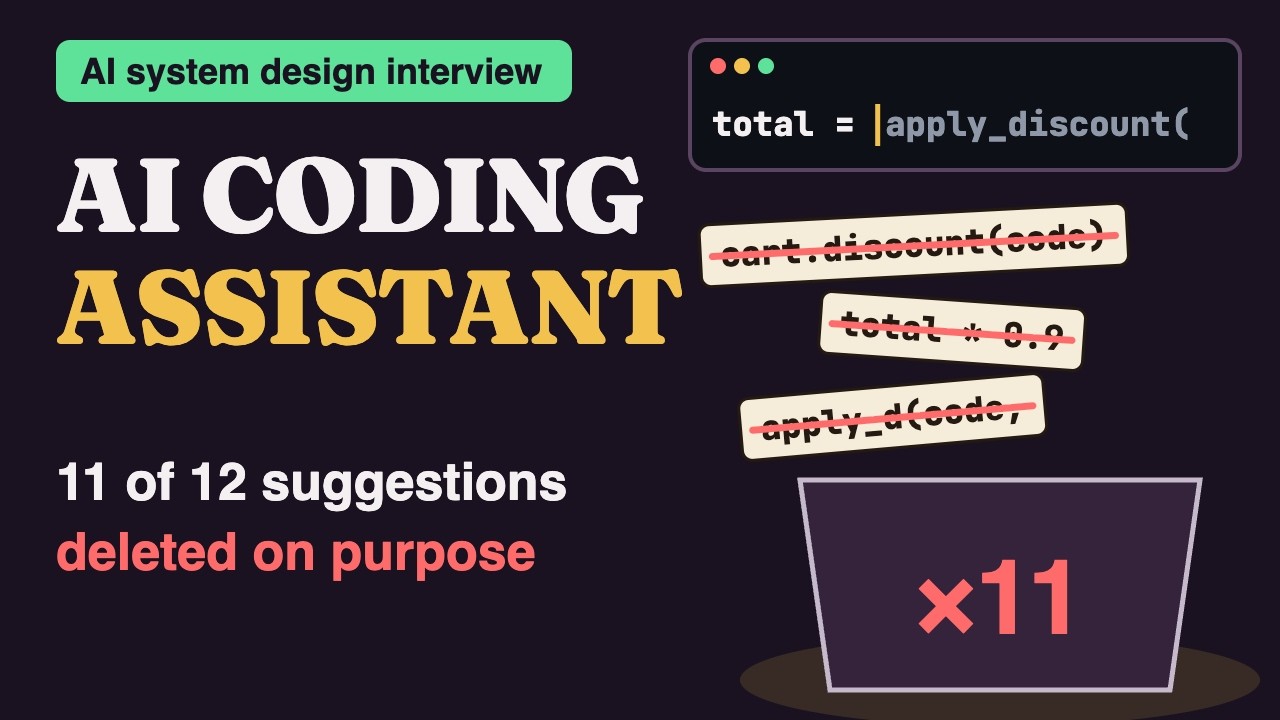
Now starve the context — send only the current line — and watch the model confidently complete against APIs that don’t exist: invented functions, wrong imports, guessed signatures, all syntactically perfect and all wrong. That’s why context assembly and repo retrieval are the quality engine, and why grounding beats a bigger model when the goal is code that actually runs.
Everything you assembled, in order
- Latency-bound — debounce, cancel, stream — a late completion is worthless
- Context builder — fill-in-the-middle prefix/suffix + open tabs + imports, on a budget
- Repo retrieval — RAG for code — embeddings + symbol index ground completions in the repo
- Code model — code-specialized, FIM-tuned, fast and streaming
- Latency tricks — debounce + cancel + cache beat brute-force hardware
- Acceptance rate — the north-star metric — the developer is the eval
- Agent mode — a separate powerful, multi-file, tool-using, diff-based loop
- Privacy — redact secrets, opt-in training, filter risky output — trust is the moat
- The failure — too little context → confident, hallucinated code, silently